

Store credit balances sit unused. Small amounts accumulate. Customers forget. The merchant eventually recognizes breakage. Nobody wins.
Store credit donations turn that friction into goodwill. Customers convert credit into charitable donations through the memberr widget. You configure the causes. The credit leaves their balance, goes to an organization you both care about, and the customer walks away feeling good.
How it works
After a customer earns or receives store credit, they can choose to donate any amount through the memberr widget:
- Customer sees Donate in the widget
- Selects amount and charitable cause you've configured
- Confirms - credit balance reduces, donation records
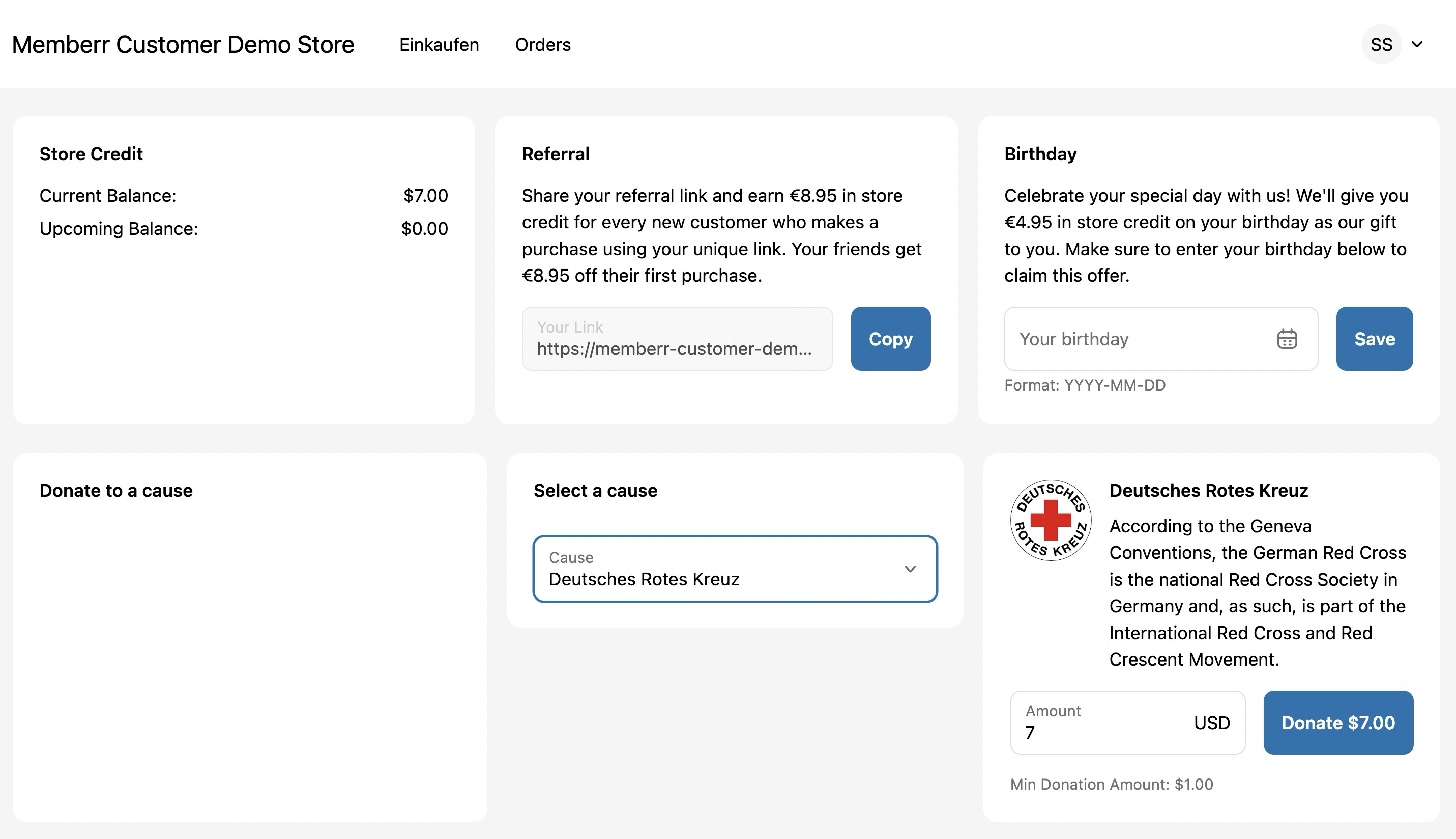
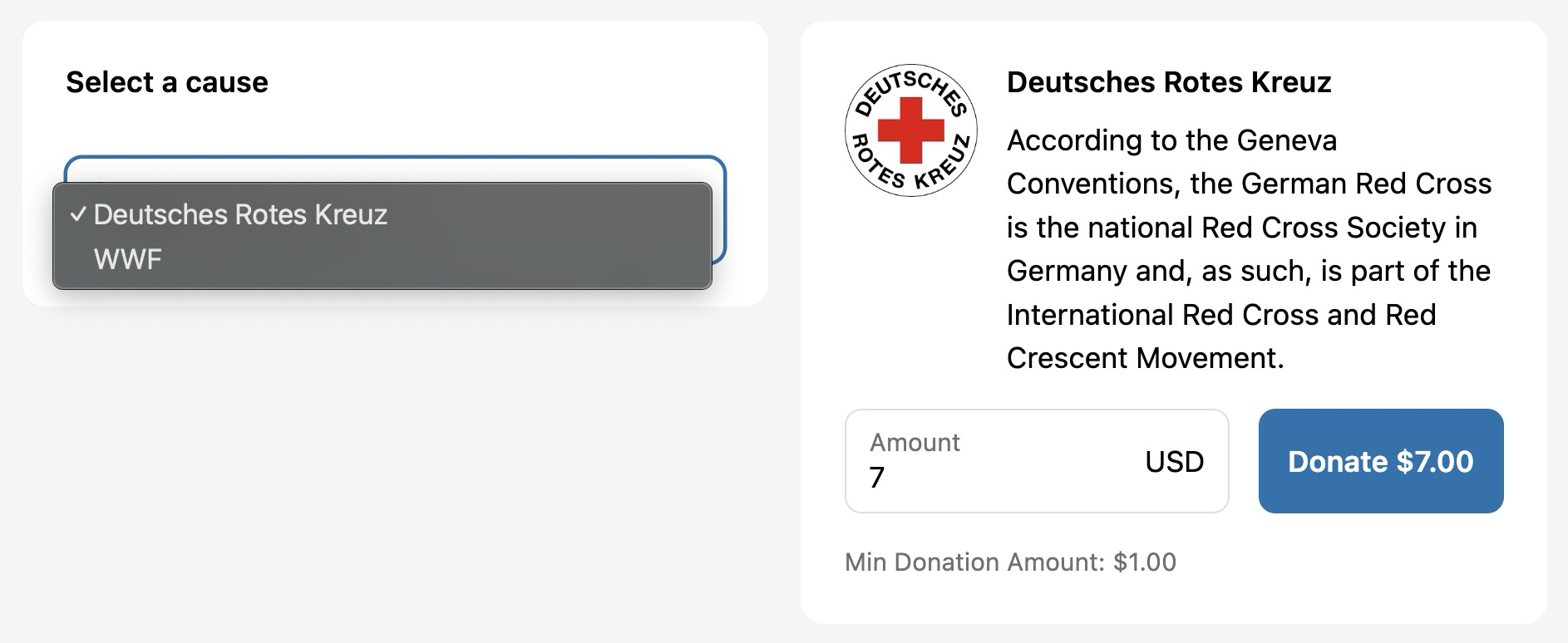
You control minimum and maximum donation amounts. Configure multiple causes if your brand supports several organizations. Each cause has a name, description, and image.
See the memberr documentation for setup instructions.
Why this matters
Unused credit is dead weight. Small balances (under €5) rarely get redeemed. Customers need an option that doesn't feel wasteful.
Gen Z customers care. 63% prefer companies that contribute to social causes. Offering a donation path signals your brand's values without forcing it. (First Insight)
It's been proven elsewhere. American Express and Hilton both offer points-to-charity redemptions. Customers use them. The mechanism works. (CNBC)
Silent breakage feels hollow. When credit expires or sits idle forever, merchants recognize it as revenue, but there's no positive story. Donations let you recognize the same revenue while earning brand goodwill. The customer chose to donate. That's a better narrative.
When to offer it
Donations work best when:
- You issue small credit amounts (under €10) from reviews, referrals, or apology gestures
- Your brand already supports specific causes
- Customers have balances that linger for months
- You want a CSR angle without discounting products
You don't need a massive program. Two or three causes are enough. The point is giving customers an option when they don't want to top up for a purchase.
What to configure
Choose causes that align with your brand. Sustainable fashion brands might support environmental nonprofits. Beauty brands might support women's health. Pet supply stores might support animal shelters. Keep descriptions short - customers decide quickly.
Cause selection
Pick causes your customers already care about. If you're unsure, look at:
- What causes your brand mentions in marketing
- What organizations your team volunteers with
- What issues your customer base comments on (social media, surveys)
- What certifications you hold (B Corp, climate neutral, fair trade)
Three causes are usually enough. More than five can create decision paralysis.
Donation limits
Set minimum donation amounts (e.g., €5) to avoid administrative friction. Processing a €0.50 donation costs more in time than the donation itself.
Set maximums if you want to cap exposure or if you're testing the feature. A €50 cap is common for stores issuing €5-10 credit per transaction.
memberr tracks all donations so you can reconcile with your cause partners monthly or quarterly. Most merchants batch-transfer the total donated amount to each cause at the end of each month, rather than processing individual micro-donations.
Cause images and descriptions
Upload a logo or icon for each cause. Write 2-3 sentences explaining what the organization does. Avoid jargon. Customers will spend 5 seconds deciding.
Example (good):
Ocean Cleanup Project: Removes plastic from oceans and rivers. 1kg of plastic removed per €10 donated.
Example (bad):
Global Sustainability Initiative: A multinational consortium leveraging synergistic partnerships to drive holistic environmental stewardship across diverse ecosystems.
Balance sheet treatment
When a customer donates €10 credit, you:
- Reduce the store credit liability by €10
- Recognize €10 as revenue (same as redemption)
- Record €10 as a charitable contribution expense
Net effect: Zero impact on profit. The revenue and expense offset. But you've converted a lingering liability into a closed transaction.
From an accounting perspective, donations are identical to expirations: both reduce the liability and recognize revenue. The difference is optics. Expiration feels like you took something away. Donation feels like the customer made a choice.
If you're audited or report under IFRS/GAAP, donations are treated like any other redemption. The deferred revenue is earned. The charitable contribution is a separate expense line. Your accountant will appreciate the clean resolution of old credit balances.
For more on how store credit appears on your balance sheet, see our guide to store credit accounting.
Communicating the option
Customers won't donate if they don't know the option exists. Promote it in:
Email flows: When credit is issued, mention the donation option. "You've earned €10 credit. Use it on your next order, or donate it to [Cause Name]."
Widget notifications: memberr's widget can show a prompt when the customer's credit balance is old or small. "Your €7 credit expires in 30 days. Redeem it or donate it to charity."
Checkout reminders: If a customer with credit checks out without using it, show a post-purchase message: "You still have €5 credit. Donate it to [Cause]?"
Expiry warnings: Before credit expires, send one last email offering donation as an alternative to losing the balance.
Customer psychology
Small amounts feel awkward to spend. A customer with €3 credit faces a choice: spend €20 more to use the €3, or let it expire. Neither feels good. Donation resolves the tension.
Larger amounts (€15+) usually get redeemed. Customers will top up to use them. But the €2-8 range is where donations shine. Too small to justify a purchase, too large to ignore.
The donation option also prevents resentment. When credit expires, customers blame you. When they choose to donate, they credit themselves. The outcome (unredeemed credit) is the same, but the emotional response is opposite.
Example scenarios
Scenario 1: Review rewards You offer €5 credit for verified product reviews. Many customers leave reviews but never return to shop. After 6 months, those €5 balances add up. Offering donation converts that dead credit into goodwill.
Scenario 2: Apology credit A late shipment earns the customer €10 credit. They accept it to resolve the complaint, but don't plan to order again. Letting them donate turns a customer service gesture into a brand-positive moment.
Scenario 3: Referral credit A customer refers three friends, earns €15 credit. But they've already bought everything they want. Donation lets them feel good about the referrals without forcing another purchase.
The alternative
Without a donation option, unused credit either:
- Expires (customer annoyed, brand looks stingy)
- Sits forever (liability on your books, no resolution)
- Gets spent begrudgingly (customer buys something they don't want just to use credit)
Donations close the loop cleanly. Customers feel good. You recognize revenue. The cause benefits. The alternative is to leave money on the table - literally, on your balance sheet - with no upside.
If you're already issuing store credit for reviews, referrals, or returns, adding a donation path costs nothing and improves the experience for customers who don't want or need more product.
See the memberr documentation for setup instructions.