
You issue $10,000 in store credit this month. Only $2,000 gets redeemed. The other $8,000 sits as a liability on your balance sheet, driving zero revenue, zero repeat purchases, zero engagement.
The problem isn't the program. It's communication.
Customers can't use credit they don't know exists. They won't redeem credit if they don't know the balance, expiry, or how to apply it. Every uncommunicated credit is a missed sale.
Utilization rate above 20% should be the floor. To hit it, put balance, expiry, and redeem instructions on every surface where a customer might act: email, checkout, account page, product pages, post-purchase.
Why Utilization Matters
Utilization rate = credit redeemed ÷ credit issued
Track this in memberr's analytics dashboard:

If utilization is below 20%, you're issuing value customers aren't claiming. Either they don't know, don't care, or can't figure out how to use it. All three are communication failures.
High utilization means:
- Customers return to redeem (repeat purchase rate increases)
- Liability converts to revenue (credit becomes sales)
- Program drives behavior (the incentive worked)
Low utilization means you're paying for a program that doesn't change behavior. Fix communication before adding more features.
Communication Surfaces
1. Email (Primary Channel)
Email is where most customers first learn they have credit. Miss this, and they may never discover it.
Credit added email:
Trigger: immediately when credit is issued
Subject: "You've earned $10 credit"
Body:
- Amount with symbol:
{{ memberr_current_balance_with_symbol }} - What it's for (refund, reward, campaign)
- Expiry date (if applicable)
- Link to shop
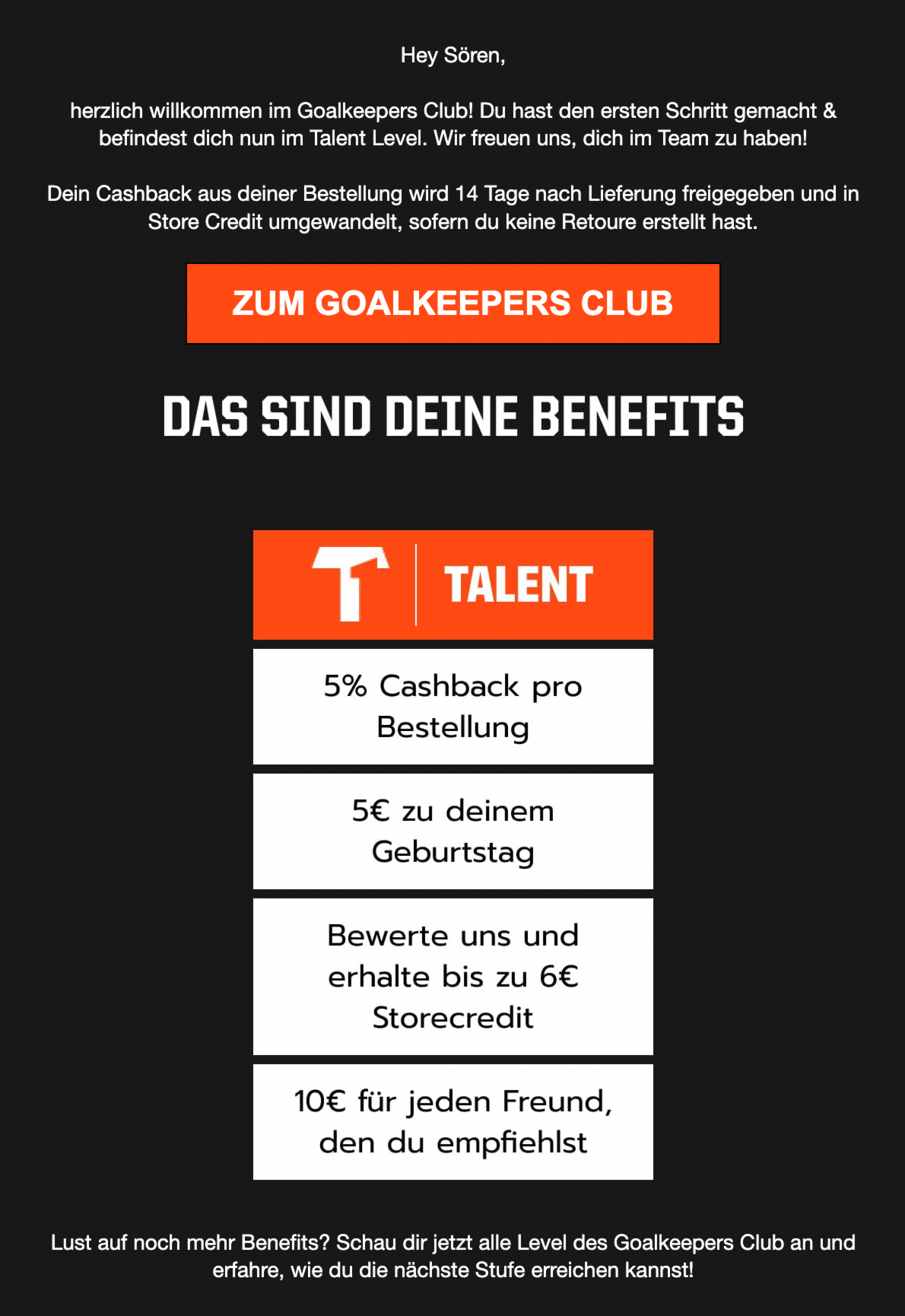
Example (T1TAN):
Expiry reminder email:
Trigger: 3-7 days before expiry
Subject: "Your $15 credit expires in 3 days"
Body:
- Credit amount expiring
- Expiry date
- Link to shop
- Optional: product recommendations
Balance update email:
Trigger: monthly or when balance changes significantly
Subject: "You have $25 in store credit"
Body:
- Current balance:
{{ memberr_current_balance_with_symbol }} - How they earned it
- Link to shop
Use Klaviyo or Mailchimp with memberr's merge fields to personalize. See Essential Klaviyo Flows for Store Credit for setup.
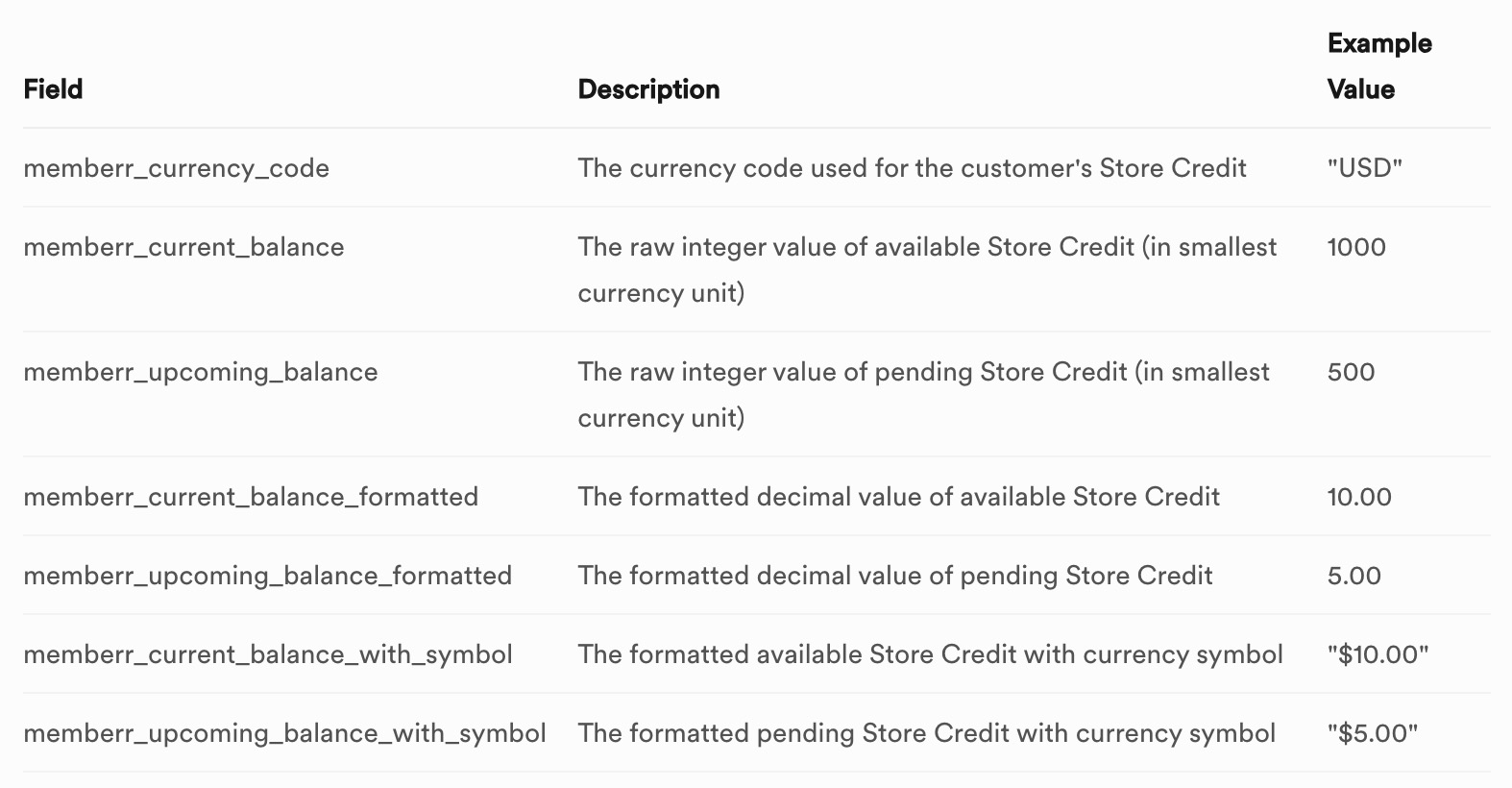
Available merge fields:

2. Checkout
If a customer has credit but doesn't see it at checkout, they'll pay full price and forget the credit exists.
memberr displays balance automatically at checkout. Customer sees:
"You have $12.50 available in store credit. Apply it?"
Checkbox to apply. No code needed.
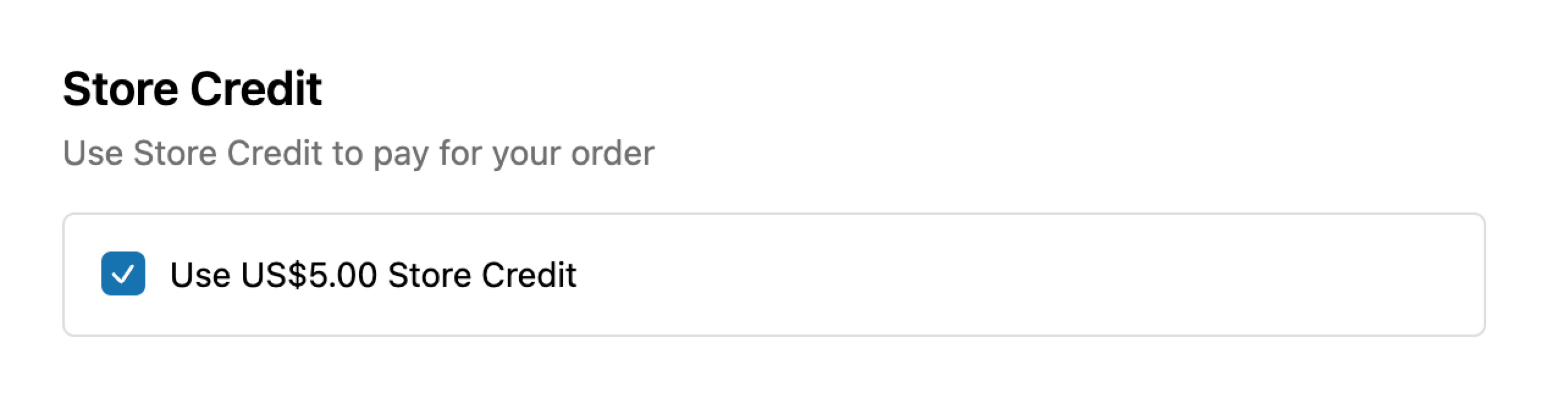
This is frictionless redemption. Customer doesn't need to remember a code or navigate to their account. The balance is visible, and application is one click.
If they skip it once, they've seen it - next visit, they'll remember.
3. Customer Account Page
Logged-in customers should see their balance prominently on their account dashboard.
memberr provides:
- Current balance
- Upcoming balance (delayed credit)
- Recent transactions (earned, redeemed)
- Expiry dates
Example:
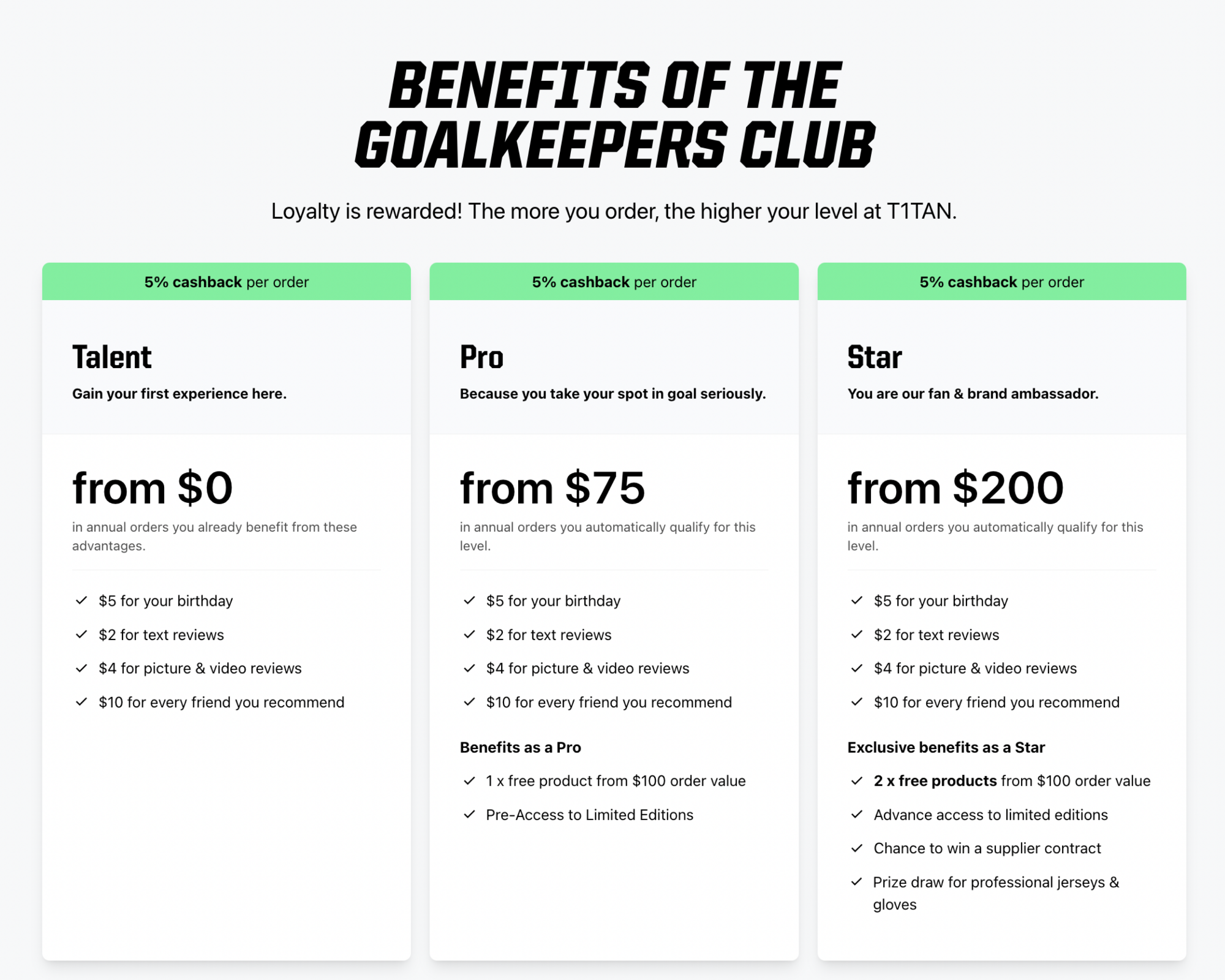
This is the single source of truth. If a customer wonders "how much credit do I have?", they should be able to check here in 2 seconds.
4. Product Pages (Optional)
For cashback programs, showing potential earnings on product pages increases credit awareness.
Example: "Earn $2 credit on this purchase" (below Add to Cart).
This primes customers: "If I buy this, I get credit back." When they receive it post-purchase, it's expected (not a surprise), and they're more likely to return and use it.
5. Post-Purchase (Thank-You Page or Email)
Immediately after purchase, confirm if they earned credit.
Post-purchase email:
Subject: "Thanks for your order - you earned $5 credit"
Body:
- Order confirmation
- Credit earned:
{{ amount }} - New balance:
{{ memberr_current_balance_with_symbol }} - Link to shop again
This closes the loop. Customer sees the reward immediately, which reinforces the behavior (buy → earn → return).
Timing and Frequency
Balance updates:
Send when customers are likely to shop:
- After payday (1st and 15th of the month)
- Before holidays (Black Friday, Christmas)
- When new collections drop
Don't spam. Monthly balance updates are enough unless there's a specific reason (expiry, campaign).
Expiry reminders:
Send 7 days before, 3 days before, and 1 day before expiry. This gives customers three chances to act. Redemption spikes 48 hours before expiry - the reminder works.
Campaign announcements:
Same day as credit is issued. Don't wait. The longer the gap, the more customers forget.
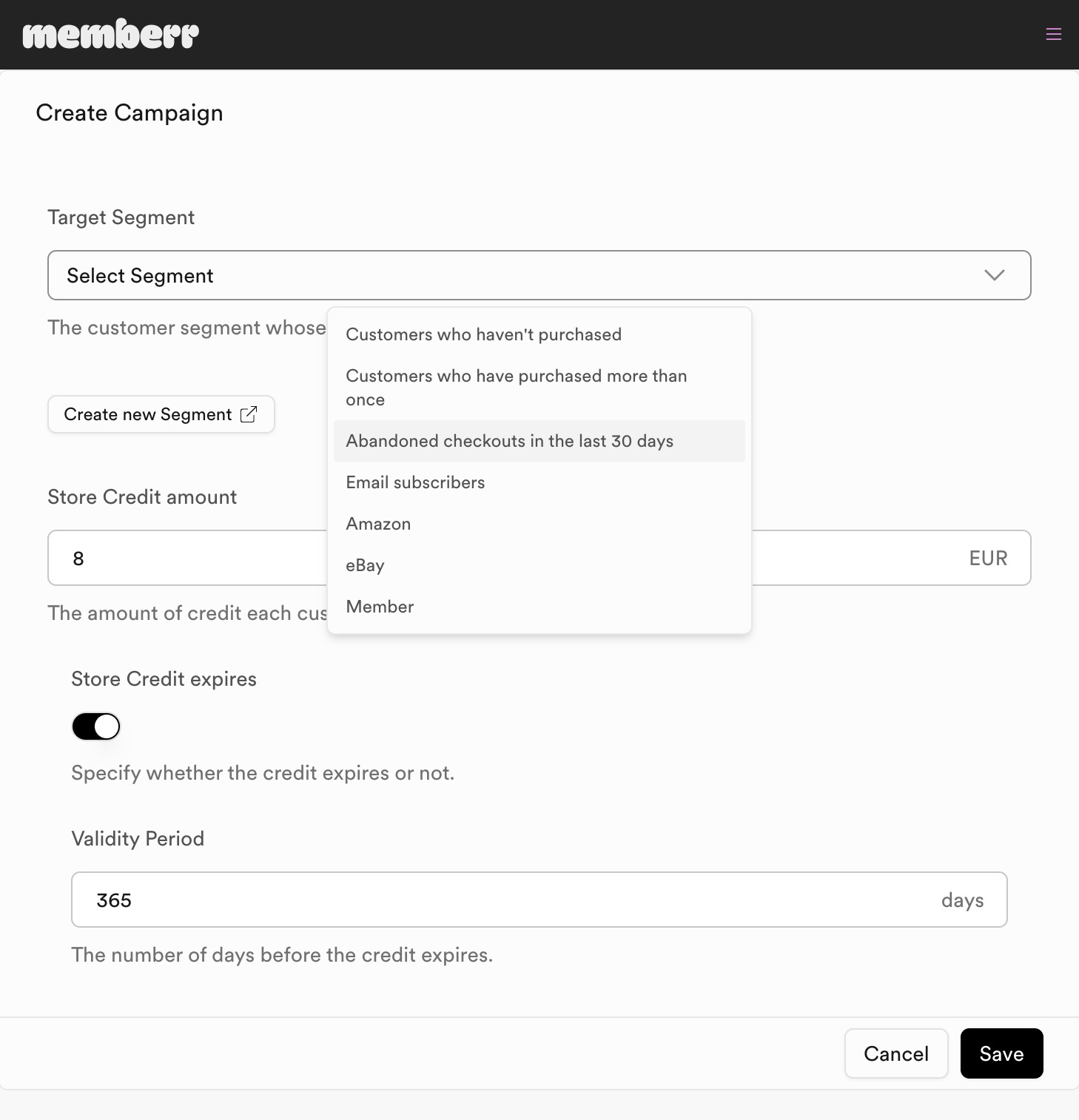
Personalization and Segmentation
Generic "You have credit" emails convert poorly. Personalize by:
Segment:
- VIP customers (high LTV): "Thank you forX in purchases - here's \25 credit"
- First-time buyers: "Welcome! Here's $10 for your next order"
- Inactive customers: "We miss you - here's $15 to come back"
Merge fields:
Use {{ first_name }}, {{ memberr_current_balance_with_symbol }}, {{ membership_name }} to make emails feel personal, not automated.
Example:
Purchase behavior:
Recommend products based on past orders. "You bought X last time - here's Y that pairs well. Use your $10 credit."
Measuring Communication Effectiveness
Track:
Redemption rate (by communication channel):
- Email click-through → redemption
- Checkout visibility → redemption
- Account page visits → redemption
Time from communication to redemption:
If customers redeem within 24 hours of email, communication works. If it takes 30 days, they forgot and happened to check their account later.
Engagement:
- Email open rate (target: 30-40%)
- Click rate (target: 8-15%)
- Checkout apply rate (target: 40-60% of customers with credit)
memberr analytics:
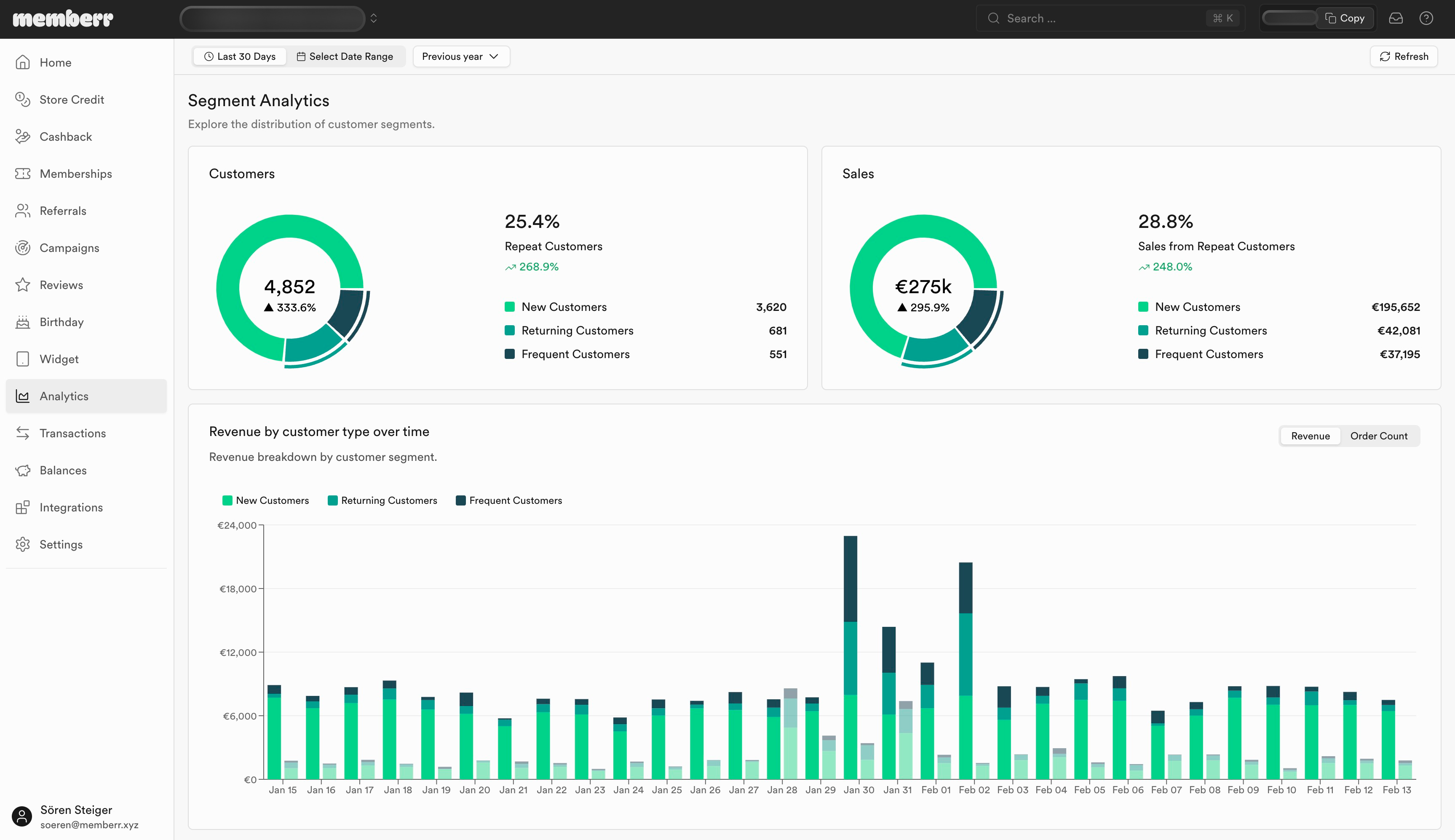
If utilization is low:
- Check email deliverability (are they reaching inbox?)
- Check checkout visibility (is balance shown?)
- Check messaging (is it clear what credit is and how to use it?)
Common Communication Failures
Failure 1: No announcement
Customer is issued $10 credit via campaign. No email sent. They never check their account. Credit expires unused.
Fix: Trigger email immediately when credit is issued.
Failure 2: Buried in account page
Balance is visible only if customer navigates to Account > Store Credit. They never go there.
Fix: Show balance at checkout automatically.
Failure 3: No expiry reminder
Credit expires. Customer didn't know. They log in later, see $0 balance, feel cheated.
Fix: Remind 7, 3, and 1 day before expiry.
Failure 4: No clear redemption path
Email says "You have credit!" but doesn't link to shop or explain how to use it.
Fix: Include "Shop Now" button. At checkout, show "Apply your$X credit" checkbox.
Issuing credit is step one. Communication is step two. Without step two, credit is a liability that drives no behavior. With step two, credit converts to sales, repeat purchases, and loyalty.
Aim for 20%+ utilization. If you're below that, fix communication before adding more programs.
For full Klaviyo flow setup, see Klaviyo Flows for Store Credit.