
You issue $10,000 in store credit this month. Only $2,000 gets redeemed. The other $8,000 sits as a liability. You don't know if customers forgot, if they're waiting for the right product, or if the program doesn't work.
Without analytics, store credit is a black box. You're spending money (issuing credit) but you can't measure return (redemption, incremental revenue, repeat rate).
This article covers four metrics that matter, how to calculate them, and what action to take based on the numbers.
1. Utilization Rate
What it is:
Percentage of issued credit that gets redeemed.
Formula:
Utilization rate = (Credit redeemed ÷ Credit issued) × 100
Example:
Issued: $10,000
Redeemed: $2,500
Utilization: 25%
Target: 20-40%
What it tells you:
- Below 20%: Customers don't know they have credit, or they don't care. Fix communication.
- 20-40%: Healthy. Customers are using credit without over-redeeming.
- Above 40%: Either very effective program, or you're over-incentivizing (could achieve same result for less).

Action:
If below 20%, check:
- Are customers receiving email announcements? (Check Klaviyo open rates.)
- Is balance visible at checkout? (memberr should show this automatically.)
- Is expiry too long? (Customers forget - try 14-21 day expiry.)
2. Redemption Lag Time
What it is:
Average days between credit issued and credit redeemed.
Formula:
Redemption lag = Σ(days to redemption) ÷ number of redemptions
Example:
Customer A: 3 days
Customer B: 10 days
Customer C: 30 days
Average lag: (3 + 10 + 30) ÷ 3 = 14.3 days
Target: 7-21 days (depends on purchase frequency)
What it tells you:
- Short lag (< 7 days): High urgency. Credit is top-of-mind. Expiry or communication is working.
- Medium lag (7-21 days): Normal. Customers remember and return within a reasonable window.
- Long lag (> 21 days): Customers forgot or didn't need to buy yet. Consider shorter expiry or reminder emails.
Action:
If lag is too long:
- Send expiry reminder 7, 3, 1 day before expiry (see Klaviyo Flows)
- Reduce expiry window (from 30 days to 14 days)
- Send balance reminder emails at day 7, day 14
3. Incremental Spend
What it is:
How much customers spend beyond the credit amount when they redeem.
Formula:
Incremental spend = (Total order value) - (Credit redeemed)
Example:
Customer has $10 credit. Places $45 order. Uses all $10 credit.
Incremental spend = $45 - $10 = $35
Target: 2-3x credit amount
What it tells you:
- 1x or less: Customers are spending exactly the credit (or less). They're treating credit like a discount, not a reward. Program may not be driving incremental revenue.
- 2-3x: Healthy. Customer uses credit as partial payment and adds extra items. This is incremental.
- 4x+: Very strong. Customer would've bought anyway, or credit is motivating high-value purchases.
Action:
If incremental spend is low (1x or less):
- Credit amount may be too high relative to product prices (e.g., $20 credit on $25 products → customers only buy what credit covers)
- Lower credit amount (e.g., $10 instead of $20) to force incremental spend
- Suggest higher-value products in credit announcement emails
4. Repeat Purchase Rate (Post-Credit)
What it is:
Percentage of customers who redeem credit and then make another purchase (beyond the credit redemption order).
Formula:
Repeat rate = (Customers who bought again after redeeming credit ÷ Total customers who redeemed credit) × 100
Example:
100 customers redeemed credit.
30 of them made another purchase within 90 days (after the credit redemption order).
Repeat rate = 30%
Target: 20-35%
What it tells you:
- Below 20%: Credit brought them back once, but didn't build a habit. They're one-time repeat buyers.
- 20-35%: Healthy. Credit converted them into repeat customers, and they're buying again without incentives.
- Above 35%: Very strong. Credit is creating loyal customers.
Action:
If repeat rate is low:
- Issue another small credit after first redemption (create a loop: buy → earn → return → earn → return)
- Segment customers who redeemed but didn't return. Send winback campaign (see Store Credit Campaigns)
- Increase credit amount to make first redemption more memorable
Secondary Metrics
Outstanding Liability
What it is:
Total credit issued but not yet redeemed (or expired).
Why it matters:
This is a liability on your balance sheet. Too high = unpredictable cash flow. Track monthly.
Action:
If liability is growing:
- Issue less credit (reduce campaign amounts or frequency)
- Shorten expiry windows (force redemption or expiry)
- Increase communication (remind customers to use credit)
Redemption Rate by Source
What it is:
Utilization rate segmented by how credit was earned (cashback, referral, campaign, refund, review).
Example:
- Cashback: 35% utilization
- Campaign (winback): 25% utilization
- Refund: 50% utilization
- Review: 20% utilization
Why it matters:
Shows which programs are driving behavior. Refund credit has high utilization (customer has a reason to return). Review credit has low utilization (customer may not need to buy again soon).
Action:
Double down on high-utilization sources. Rethink low-utilization sources (e.g., reduce review credit amount if only 20% redeem).
Time to Expiry (When Redemption Happens)
What it is:
When during the credit's lifespan customers redeem.
Example:
Credit issued with 21-day expiry.
- Days 1-7: 20% redeem
- Days 8-14: 30% redeem
- Days 15-21: 40% redeem
- Expired: 10%
Why it matters:
Most redemptions happen just before expiry (urgency effect). If redemptions are evenly distributed, expiry isn't creating urgency - might be too long.
Action:
If redemptions spike at expiry, your expiry window is working. If redemptions are flat throughout, consider shorter window or stronger reminders.
How to Track (memberr Analytics)
memberr dashboard shows:
- Credit issued (by source, by time period)
- Credit redeemed (by customer, by time period)
- Utilization rate
- Outstanding liability
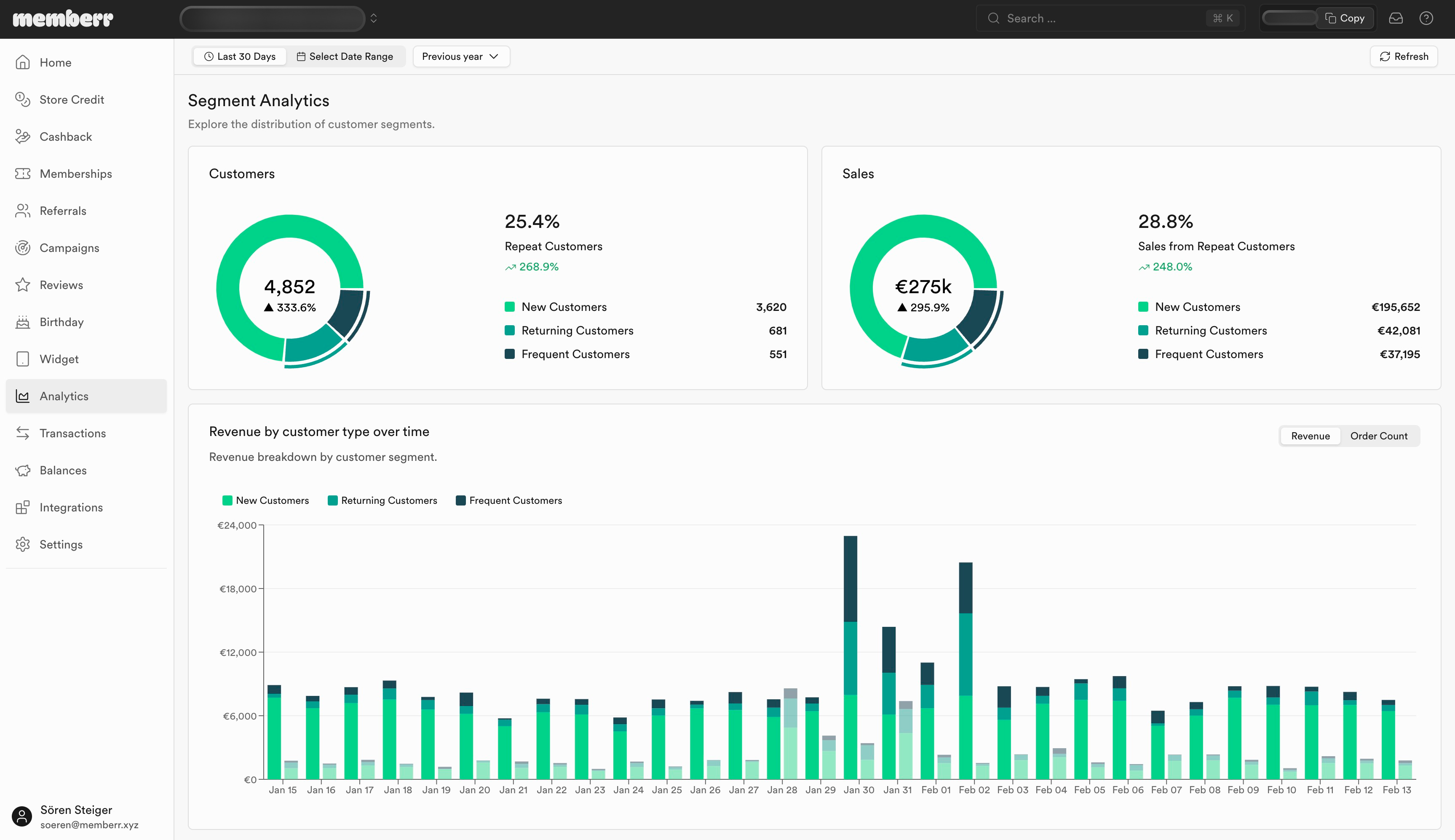
Export data to Shopify or Google Sheets for deeper analysis (incremental spend, repeat rate, redemption lag).
Action Plan Based on Metrics
| Metric | Target | If Below Target | If Above Target |
|---|---|---|---|
| Utilization rate | 20-40% | Improve communication, shorten expiry | Reduce credit amount (may be over-incentivizing) |
| Redemption lag | 7-21 days | Send reminders, shorten expiry | Good (unless too short - customers may feel rushed) |
| Incremental spend | 2-3x credit | Reduce credit amount, suggest higher-value products | Excellent - program is driving strong behavior |
| Repeat rate | 20-35% | Create credit loop, send winback campaigns | Excellent - customers are becoming loyal |
Store credit is only valuable if it drives behavior. Track these four metrics monthly. If utilization is low, fix communication. If incremental spend is low, adjust credit amounts. If repeat rate is low, create a credit loop.
Credit that sits unused is a liability. Credit that drives repeat purchases is an asset.
For full program setup, see Store Credit Campaigns and Store Credit Communication.